I still remember the exact moment I realized my career was costing me my physical health. I was hunched over my laptop in a dimly lit home office, fueled by nothing but cold espresso and the frantic need to hit a campaign deadline, when a sharp, electric jolt shot through my lumbar spine. It wasn’t just a “sore muscle”; it was a warning sign from a body that was being pushed to its absolute limit. Back then, I thought the answer was just buying a $1,500 “ergonomic” chair that promised to fix everything, but I quickly learned that no piece of furniture can compensate for a lifestyle that ignores the human need for movement. If you are searching for how to protect your back at a desk, you don’t need more expensive gadgets; you need a sustainable relationship with your workspace.
In this guide, I’m stripping away the marketing hype and the complicated medical jargon to give you what actually works. I’m going to share the small, psychology-backed adjustments and movement rituals that helped me recover from my own burnout and physical collapse. We aren’t going to aim for perfection—because perfection is just another recipe for stress—but we are going to focus on intentional, manageable shifts that allow you to grow your business without sacrificing your spine.
Mastering Your Ergonomic Office Chair Setup for Longevity
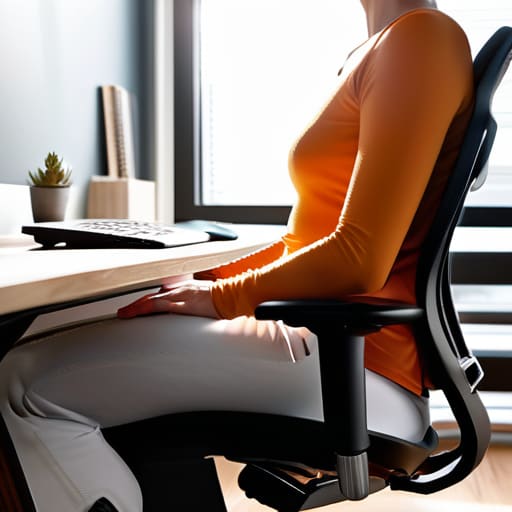
Think of your chair not just as a piece of furniture, but as the foundation of your daily energy. When I was working in digital marketing, I used to treat my chair like a mere landing pad, often slouching until my spine felt like a crumpled piece of paper. To avoid that, you need to focus on a deliberate ergonomic office chair setup. Start by adjusting the seat height so your feet rest flat on the floor, keeping your hips and knees at roughly a 90-degree angle. This simple alignment is the first step in preventing lower back pain at work by ensuring your weight is distributed evenly rather than pooling in your lumbar region.
Next, let’s talk about that crucial mid-section. Most high-quality chairs offer adjustable lumbar support, and I cannot stress enough how important it is to position that curve against the natural inward arch of your lower spine. If your chair lacks this, a small lumbar roll or even a rolled-up towel can act as a makeshift tool for desk ergonomics for lumbar support. When your spine is properly cradled, you stop fighting gravity and start working with your body, allowing you to stay focused on your creative flow without that nagging, dull ache creeping in by 3:00 PM.
The Science of Correct Sitting Posture for Computer Users
When we talk about the “science” of sitting, it’s easy to get lost in anatomical jargon, but for us creators, it really comes down to one thing: managing the load on your spine. When you’re deep in a flow state, your pelvis often tilts, causing your lower back to round into a “C” shape. This isn’t just a bad habit; it’s a mechanical strain that puts immense pressure on your intervertebral discs. To maintain correct sitting posture for computer users, you need to prioritize a neutral spine where your natural curves are supported, rather than fighting against gravity for eight hours straight.
Think of your posture as a dynamic system rather than a static pose. Even with the most expensive ergonomic office chair setup, your body is biologically designed to move. The real goal is to prevent “static loading”—that heavy, dull ache that sets in when your muscles stop firing and your ligaments take over the work. By understanding how your weight distributes through your sit bones, you can make small, intentional adjustments that keep your nervous system calm and your spine resilient.
Beyond the Chair: 5 Micro-Habits to Stop the Desk-Bound Ache
- Implement the “20-20-20” rule, but for your body: every 20 minutes, stand up for 20 seconds, and look 20 feet away. This prevents that static, frozen feeling in your spine that makes tension headaches inevitable.
- Use a lumbar roll or even a rolled-up towel to fill the gap in your lower back. If your chair doesn’t have built-in support, don’t fight it—create your own support system to maintain that natural spinal curve.
- Optimize your screen height to eye level. If you’re constantly tilting your chin down to check emails, you’re creating “tech neck,” which puts massive, unnecessary strain on your upper back and neck muscles.
- Schedule “movement snacks” directly into your digital calendar. Treat these 5-minute stretching breaks as non-negotiable appointments; if it isn’t color-coded in your schedule, it likely won’t happen.
- Keep your feet flat on the floor or use a footrest. Danging your legs or crossing them for hours shifts your pelvis out of alignment, forcing your lower back to do all the heavy lifting to keep you upright.
Protecting Your Future Self
We’ve covered a lot of ground today, from the technical nuances of adjusting your chair to the actual science of how your spine handles a long workday. Remember, protecting your back isn’t about achieving some impossible, rigid perfection; it’s about the cumulative effect of the small choices you make every hour. Whether it’s checking your lumbar support, adjusting your monitor height, or simply remembering to engage your core, these tiny adjustments are what prevent the chronic aches that often lead to deeper burnout. Think of these ergonomic tweaks as non-negotiable maintenance for the most important tool in your business: your body.
As a former digital marketer, I know the temptation to push through the discomfort in the name of productivity. But I want you to hear me when I say that your worth is not measured by how much pain you can endure for a deadline. Building a sustainable career means building a body that can actually enjoy the success you’re working so hard to create. Take a deep breath, roll your shoulders back, and commit to one small change today. You aren’t just fixing your posture; you are investing in your long-term vitality so you can keep creating for years to come.
Beyond the physical setup of your desk, I’ve learned that mental isolation can actually manifest as physical tension, making those knots in your shoulders feel even tighter. When we spend all day staring at a screen, our world can start to feel incredibly small and claustrophobic. I always suggest finding ways to reconnect with the world outside your home office to help lower your cortisol levels. If you find yourself feeling isolated in a new city, sometimes just the simple act of meeting people in Atlanta or engaging in your local community can provide that much-needed social reset that keeps your nervous system from staying in a constant state of “fight or flight.”